AI Does the Work.You Do the Inspection.
AI Quick Add detects defects from photos. Video walkthroughs convert to findings automatically. Appliance analytics identify recalls and remaining life from a photo. Smart scheduling optimizes your route. Client portals with magic-link login. Save 2-3 hours per inspection and $1,200+/year vs competitors.
AI-Powered Features
From AI Quick Add and Voice-to-Text to repair estimates and business dashboards — every feature included in your plan
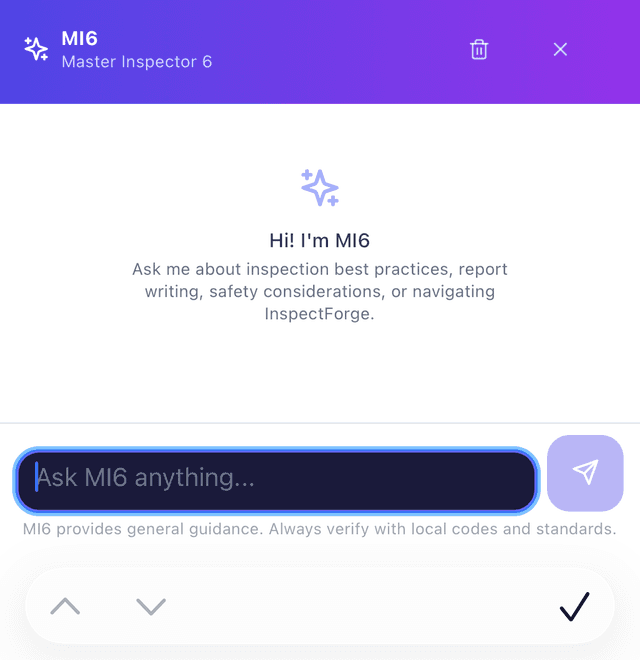
MI6 AI Assistant
Stop retyping the same recommendations and comments every inspection. MI6 writes professional recommendations instantly, analyzes photos with confidence scores, generates report summaries, and creates templates from descriptions. Save hours of repetitive typing.
- AI photo analysis with defect detection
- No more retyping — AI writes recommendations for you
- One-click report summary generation
- AI-powered template creation
- Context-aware chat assistant
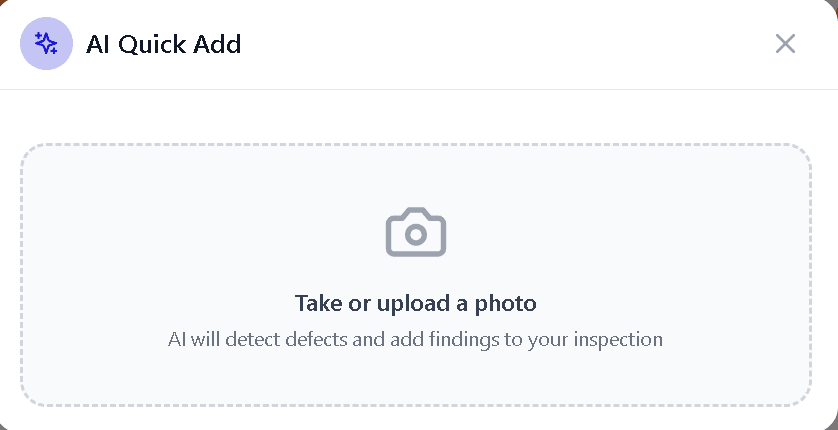
AI Quick Add
Snap a photo on-site — AI identifies the defect type, severity, and location. It auto-matches to your comment library and places the finding in the correct report section. Zero typing required — turn hours of manual entry into minutes.
- Photo → AI detects defect → auto-places in report
- Matches to your comment library automatically
- Identifies severity, location, and category
- One-tap review and approve
- Works with any inspection type
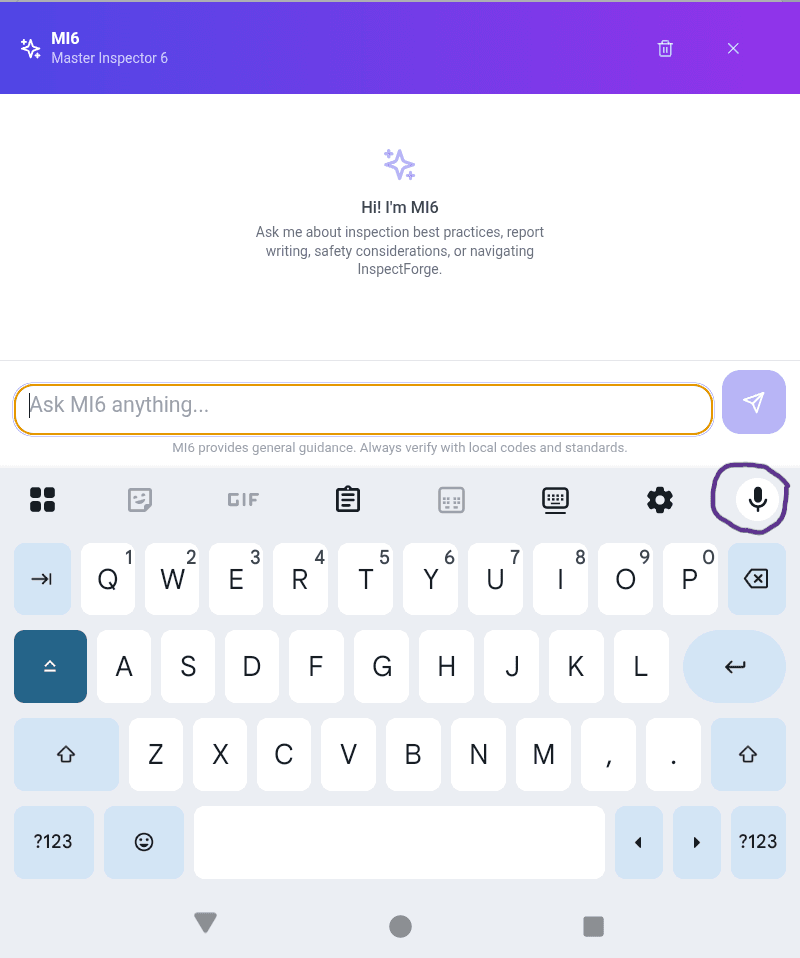
Voice-to-Text Inspection
Speak your findings hands-free while walking the property. AI transcribes, categorizes by section, and converts to professional language. Works offline with background noise filtering — perfect for field work.
- Tap mic, speak findings — AI does the rest
- Auto-categorizes by section and finding type
- Converts casual speech to professional language
- Works offline with queued processing
- Background noise filtering
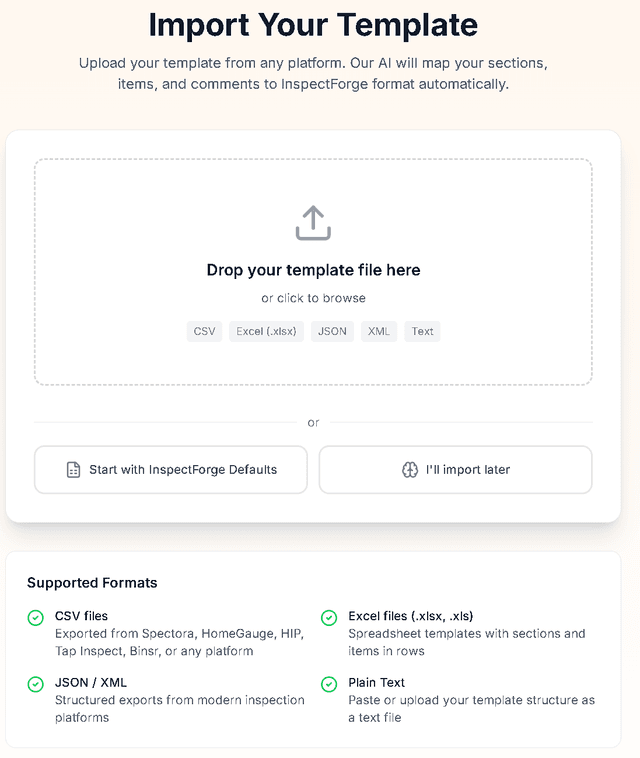
1-Click Template Import
Switching platforms? Upload a HomeGauge .ht5 template, a Spectora spreadsheet, a PDF of a finished report, or a CSV from HIP, Tap Inspect and others. We rebuild your sections, items and comments — your narrative library included. Switch in minutes, not days.
- HomeGauge .ht5, Spectora spreadsheets, report PDFs, and CSV
- Automatic format detection and field mapping
- Side-by-side preview: old template → InspectForge version
- Detects duplicates and suggests improvements
- Works with any platform export
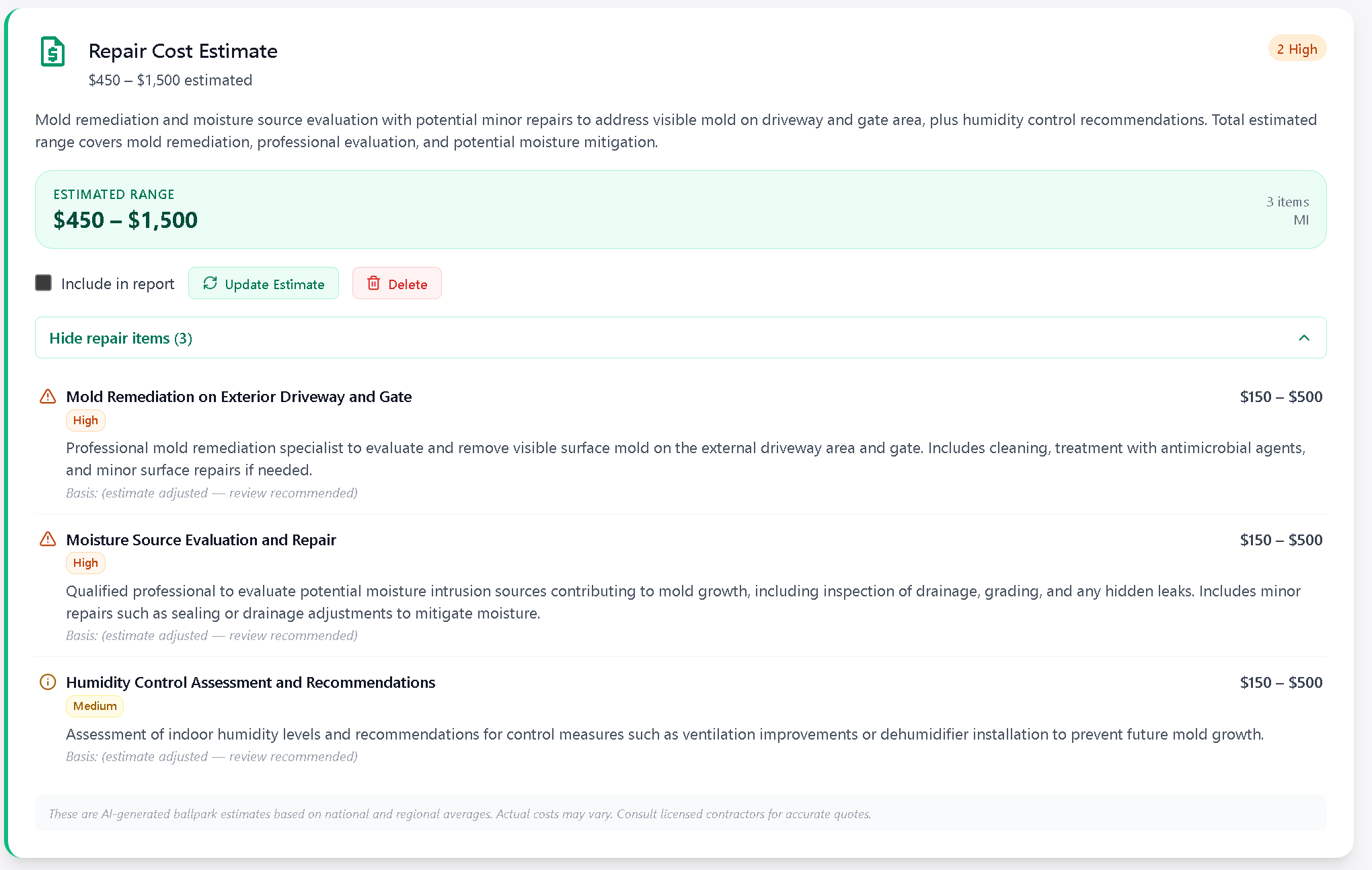
AI Repair Cost Estimates
After an inspection, AI scans all flagged items and generates ballpark repair cost estimates using regional pricing data. Include as a report addendum — a new revenue stream for your business that clients and agents love.
- AI scans flagged items automatically
- Regional pricing data for accurate estimates
- Inspector reviews and edits before delivery
- Optional client-facing addendum
- New revenue stream per inspection
Video Walkthrough to Findings
Record a video walkthrough or voice memo while on-site. Upload it and AI transcribes the entire recording, then extracts individual inspection findings with section mapping, severity ratings, and confidence scores. Review extracted findings, select the ones you want, and apply them to your inspection in one click.
- Upload video or audio — MP4, MOV, M4A, MP3, WAV supported
- AI transcribes with timestamps using Whisper
- Auto-extracts findings with section, rating, and confidence
- Review and cherry-pick findings before applying
- Perfect for walkthrough narrations and voice memos
Video Walkthrough to Findings
Included in all plans
AI Appliance Analytics
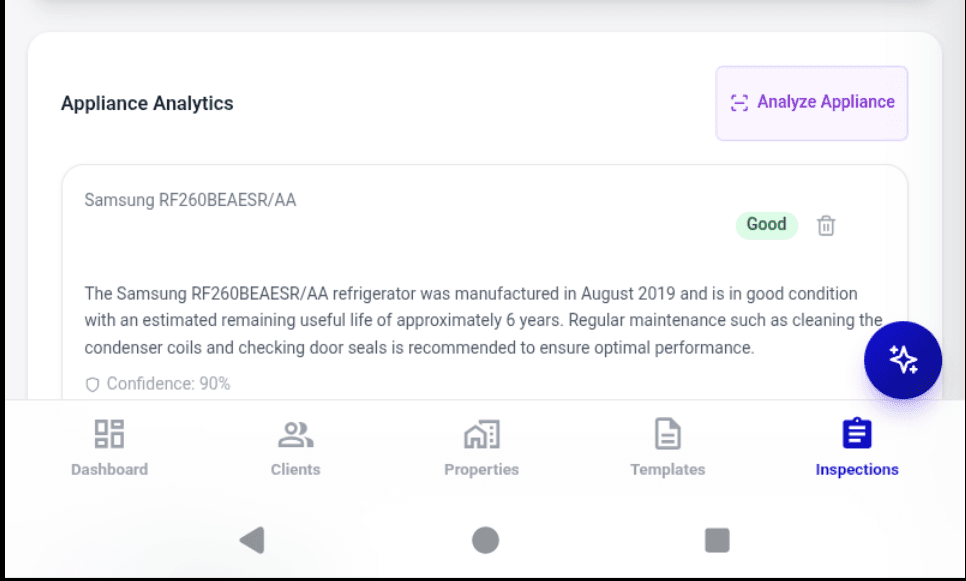
Snap a photo of any appliance — water heater, HVAC unit, electrical panel, furnace, or dishwasher. AI identifies the make, model, estimated age, remaining useful life, condition assessment, maintenance recommendations, and checks for active recall alerts. All in seconds, from a single photo.
- Identifies make, model, and serial from a photo
- Estimates age and remaining useful life
- Checks for active manufacturer recalls
- Provides maintenance recommendations
- Supports water heaters, HVAC, panels, appliances, and more
Client & Agent Portal
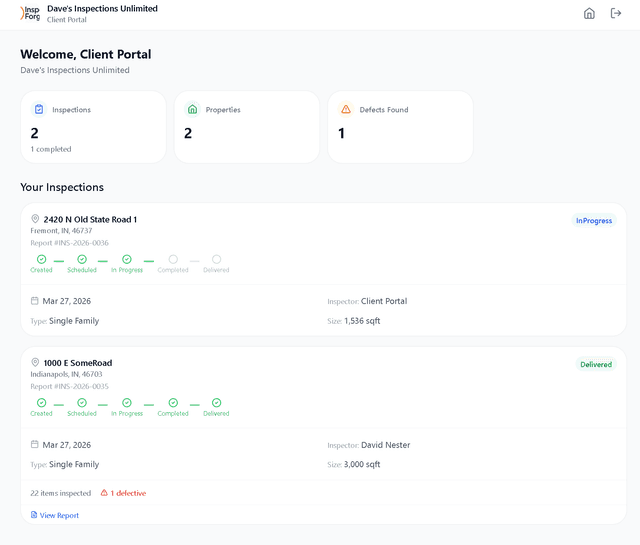
Clients and agents get their own branded portal — no app download required. Magic-link login (enter email, click the link, done). Dashboard shows inspection status timeline, findings summaries with defect counts, repair cost estimates, signed agreements, and payment status. Agents refer inspectors who use modern tools.
- Magic-link login — no passwords to remember
- Branded with your company logo and colors
- Inspection timeline: Created → Scheduled → Completed → Delivered
- Repair estimate summary with priority breakdown
- Document access: reports, signed agreements, payment receipts
Business Intelligence Dashboard
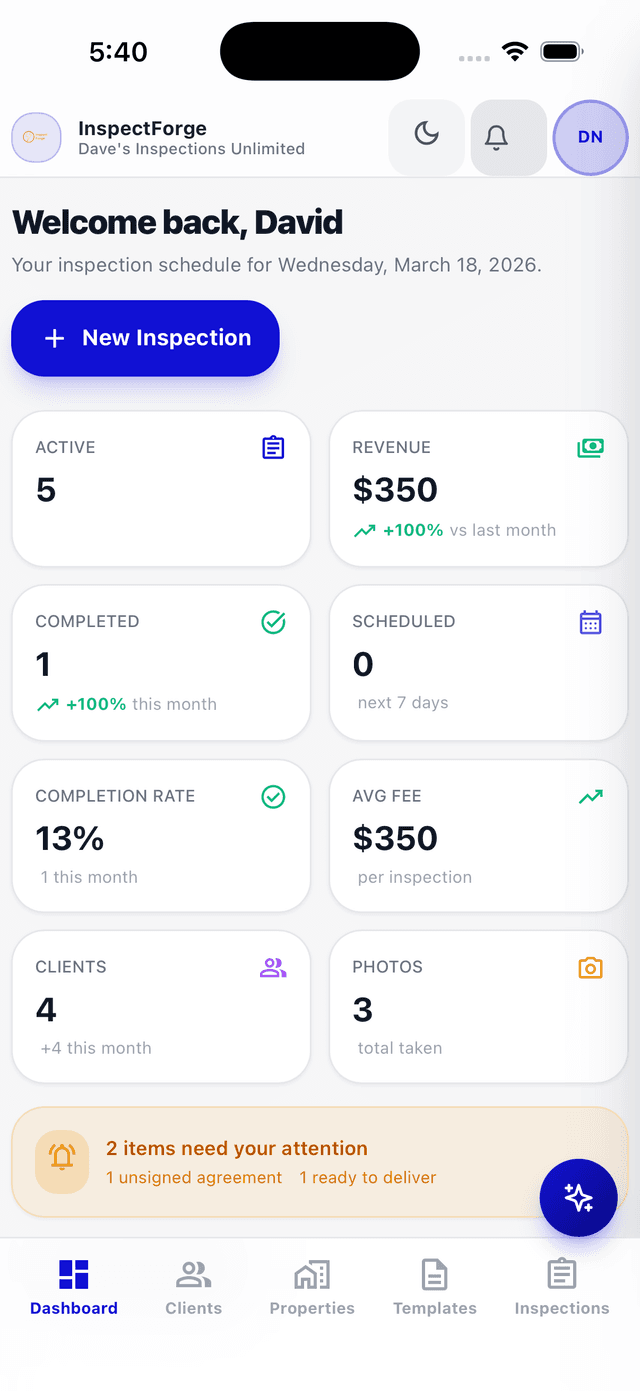
See your business performance at a glance. Track inspections booked, revenue YTD, average completion time, and inspection goals with real-time KPI cards. Revenue charts, latest inspections, and trend analysis.
- Inspections Booked YTD with % change
- Revenue YTD with trends
- Average Completion Time tracking
- Inspection Goal progress gauge
- Exportable revenue charts
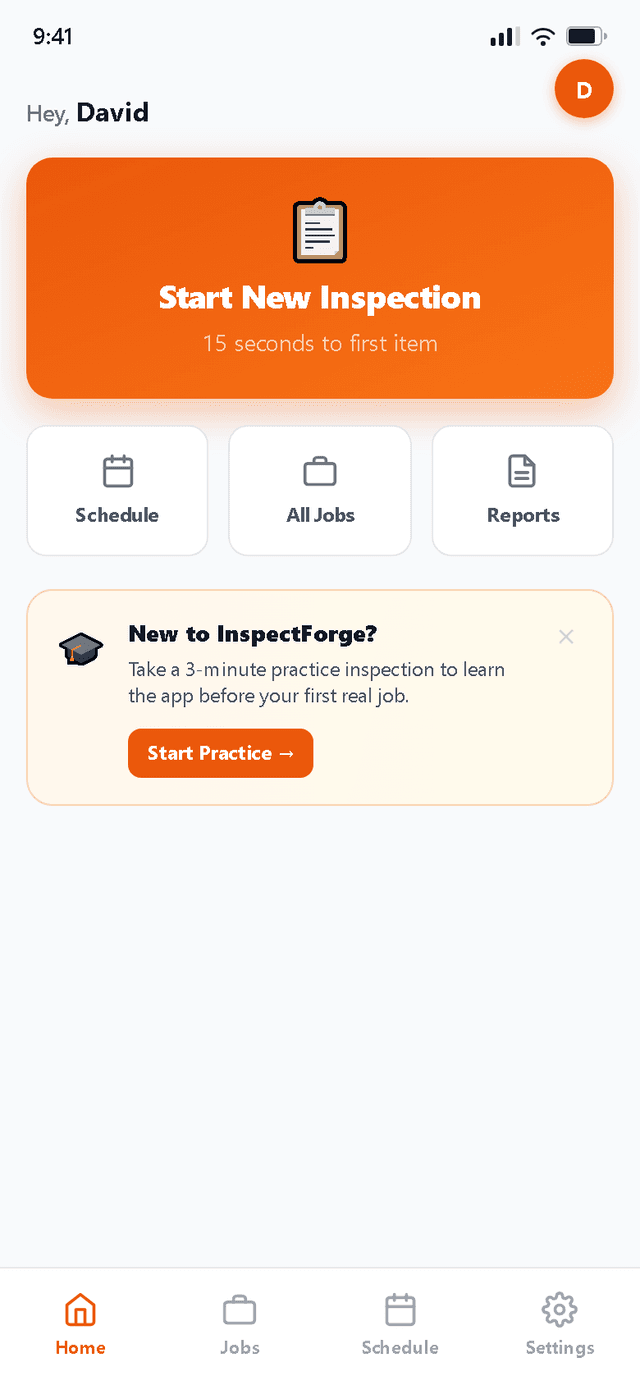
Mobile Inspection App
Photos go directly from your camera into the right inspection item — no transferring files from your phone, no renaming photos later. Native iOS and Android apps with offline mode, swipe navigation, and full feature parity.
- Photos attach directly to findings — no transfers needed
- Offline mode with auto-sync
- Camera integration with burst mode
- Swipe navigation & touch gestures
- No manual photo organization ever
Comment Library
Stop retyping the same observation on every roof inspection. InspectForge ships with 100 professionally-written comments across 10 categories, plus context-aware suggestion chips that surface as you inspect. Save from any finding or MI6 AI output with one tap.
- 100 pre-built comments included on all plans
- Suggestion chips appear while you inspect
- Save from the form or MI6 AI writer
- Mine past inspections to build your library
Comment Library
Included in all plans
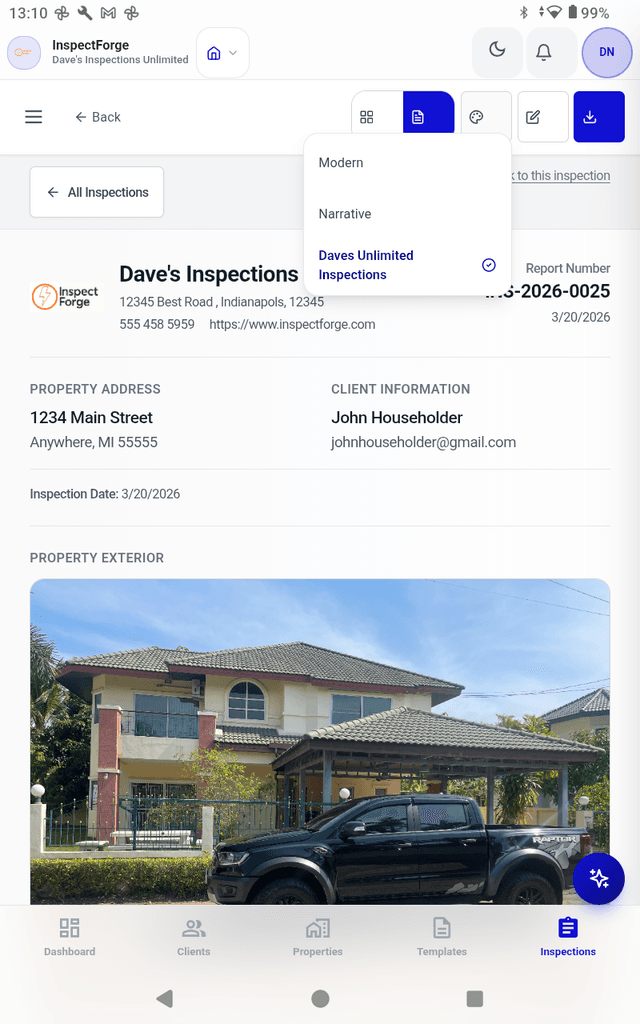
Professional Report Generator
Reports auto-generate with all photos already organized, findings correctly numbered, and formatting done. No manual assembly, no checking page numbers, no compiling photos. One-click delivery to clients via secure links.
- Auto-numbered reports with correct formatting
- All photos organized by finding automatically
- AI-powered report summaries
- Color-coded findings (Good/Fair/Poor/Defective)
- One-click client delivery via email
Smart Scheduling & Route Optimization
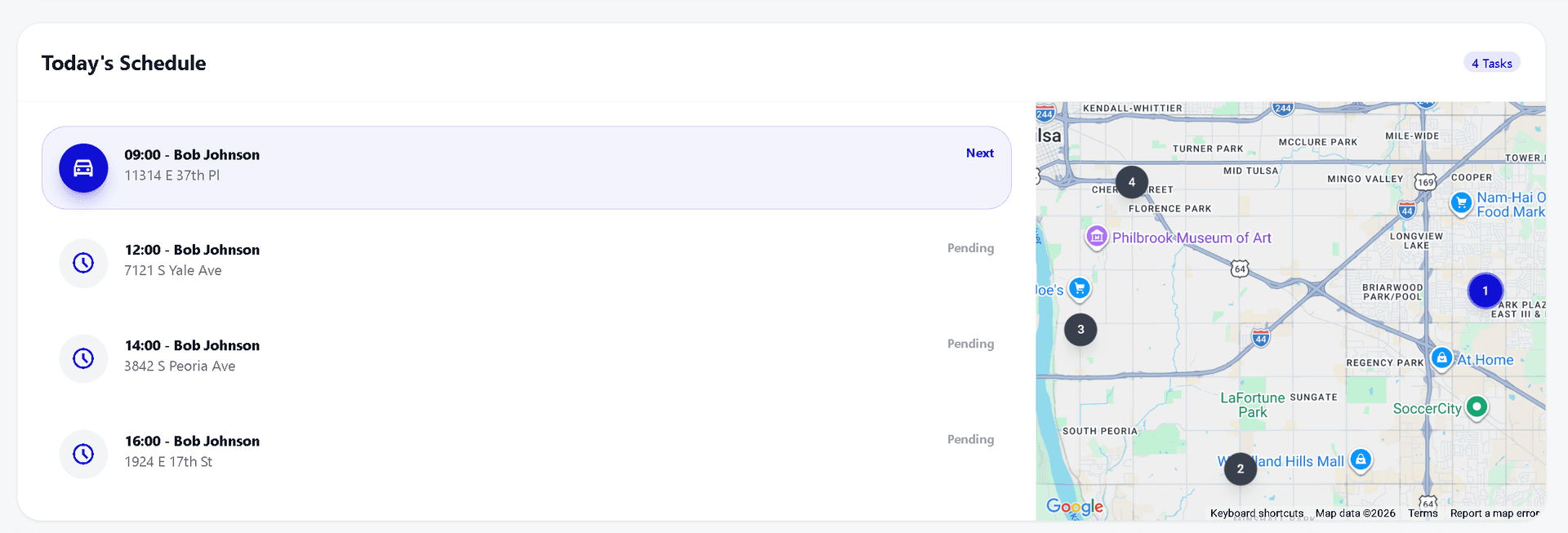
Five calendar views — Day, Week, Month, Year, and Map. AI-powered route optimization reorders your day's stops to minimize drive time and distance. Smart slot suggestions rank available times by proximity to existing appointments. Inspector duration stats help you plan realistic schedules.
- Day view with travel times and route optimization
- Map view showing all inspections with geocoded pins
- Smart slot suggestions ranked by proximity score
- Route optimization shows miles and minutes saved
- Inspector duration stats by property type
Agreements & E-Signatures
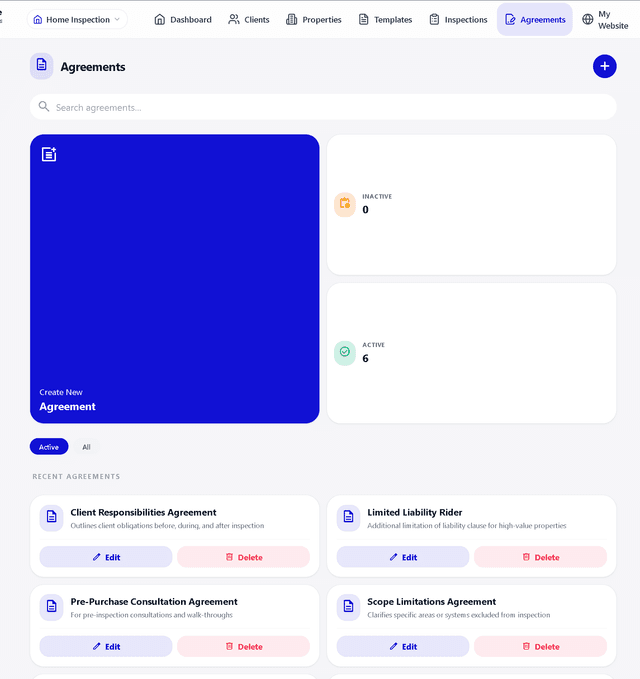
Digital pre-inspection agreements with e-signature collection via secure links. Clients sign before the inspection begins — fully integrated into your workflow.
- Custom agreement templates
- E-signature via secure links
- Automatic reminders for unsigned agreements
- PDF agreement archives
- Integrated into inspection workflow
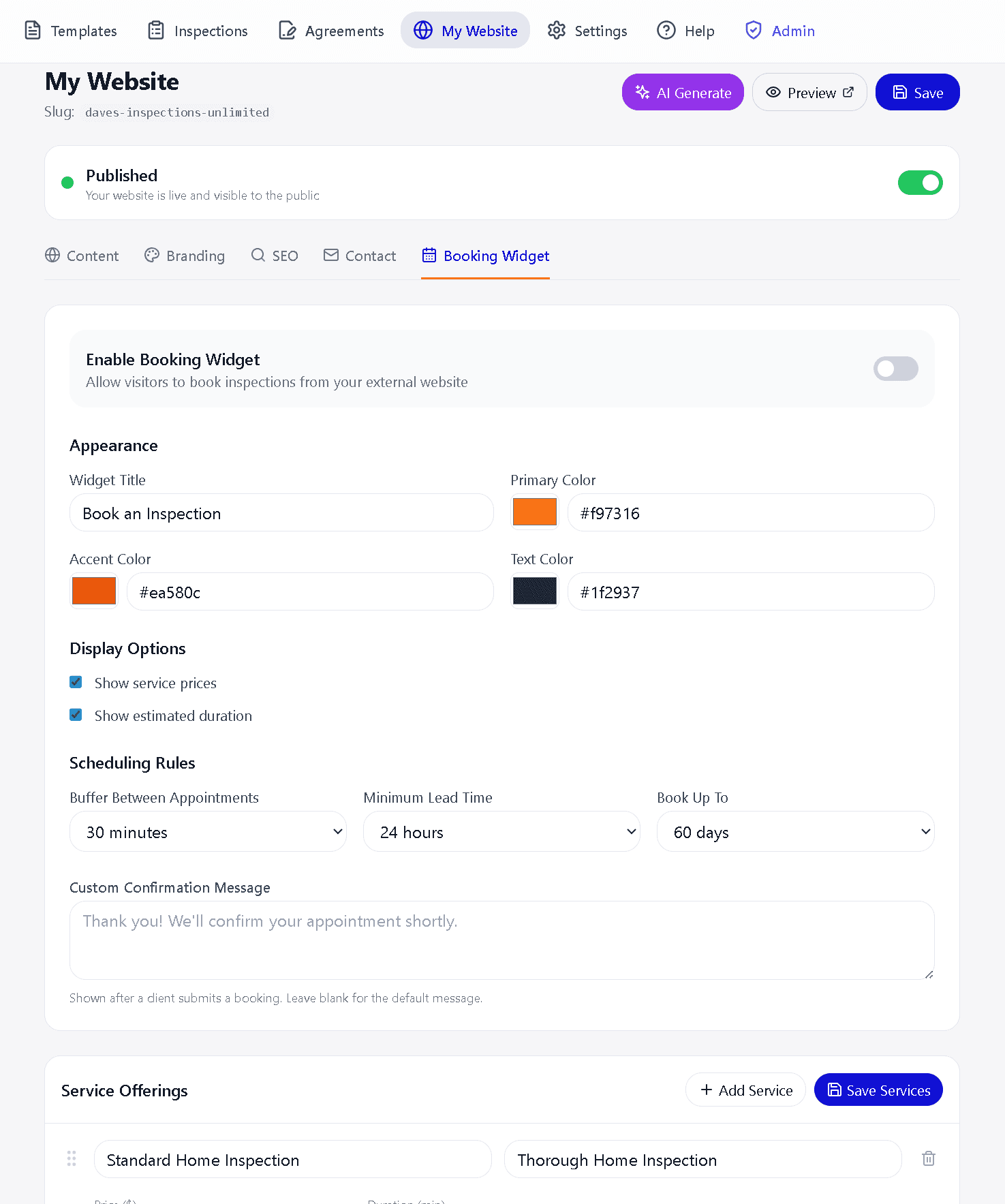
Embeddable Booking Widget
Add a booking widget to your existing website with a single line of code. Clients pick a service, choose an available time from your real calendar, and submit a booking request — all without leaving your site.
- One-line embed — works on Wix, WordPress, Squarespace, and any website
- Real-time availability from your InspectForge calendar
- Branded to match your website colors
- Service selection with pricing and duration
- Automatic conflict prevention — no double-bookings
Branded QR Code Generator
Turn every business card, flyer, and yard sign into a lead generator. Create branded QR codes with your company logo centered — scannable in seconds, professional every time.
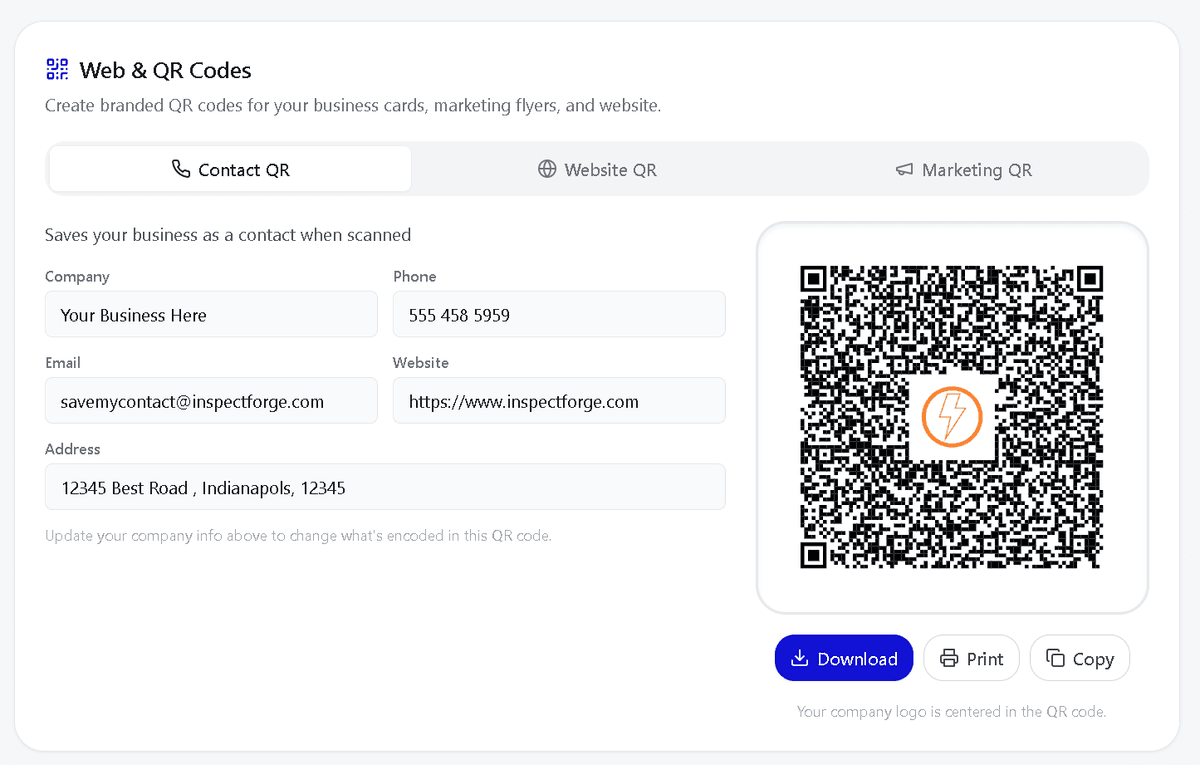
Contact QR
Generate a branded QR code with your company's contact info baked in. When a homeowner or agent scans it, your name, phone, email, and website save directly to their phone — no typing, no lost business cards. Perfect for door hangers, yard signs, and the back of your report.
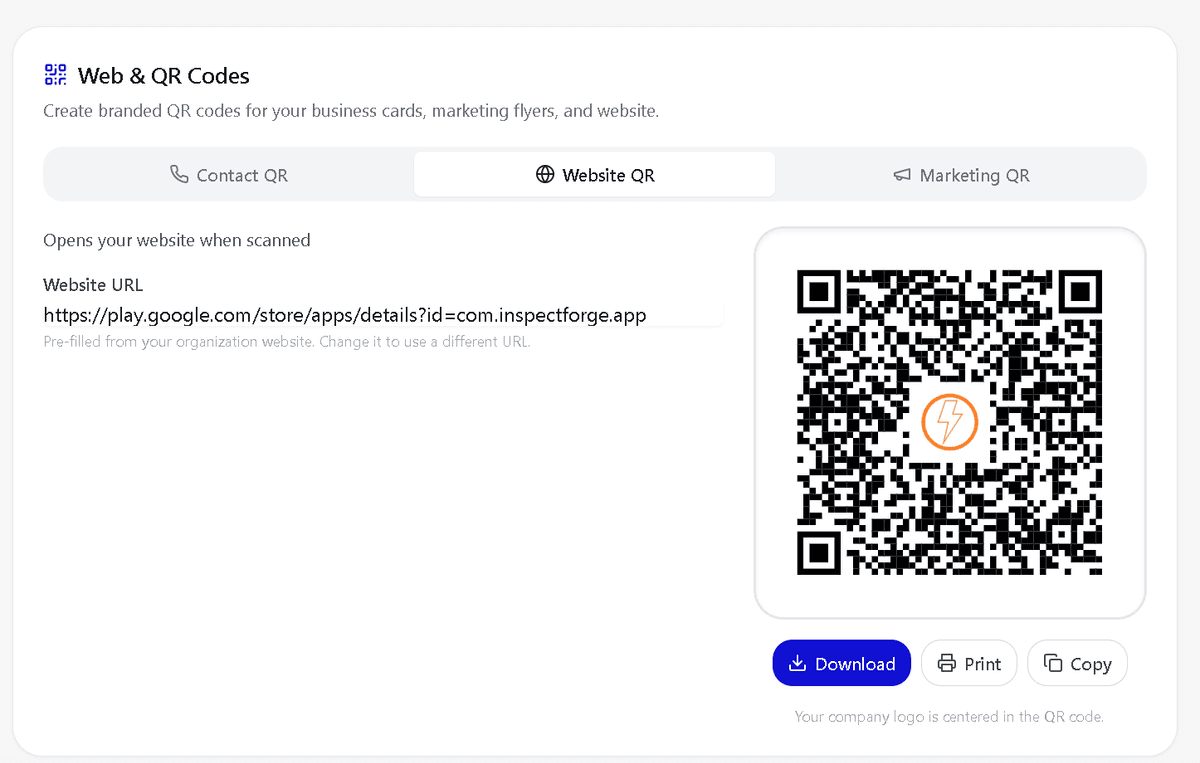
Website QR
Drive traffic to your website from anywhere — flyers at real estate offices, business cards at networking events, or stickers on your truck. One scan opens your site instantly. Your logo sits centered in the QR code so prospects see your brand before they even scan.
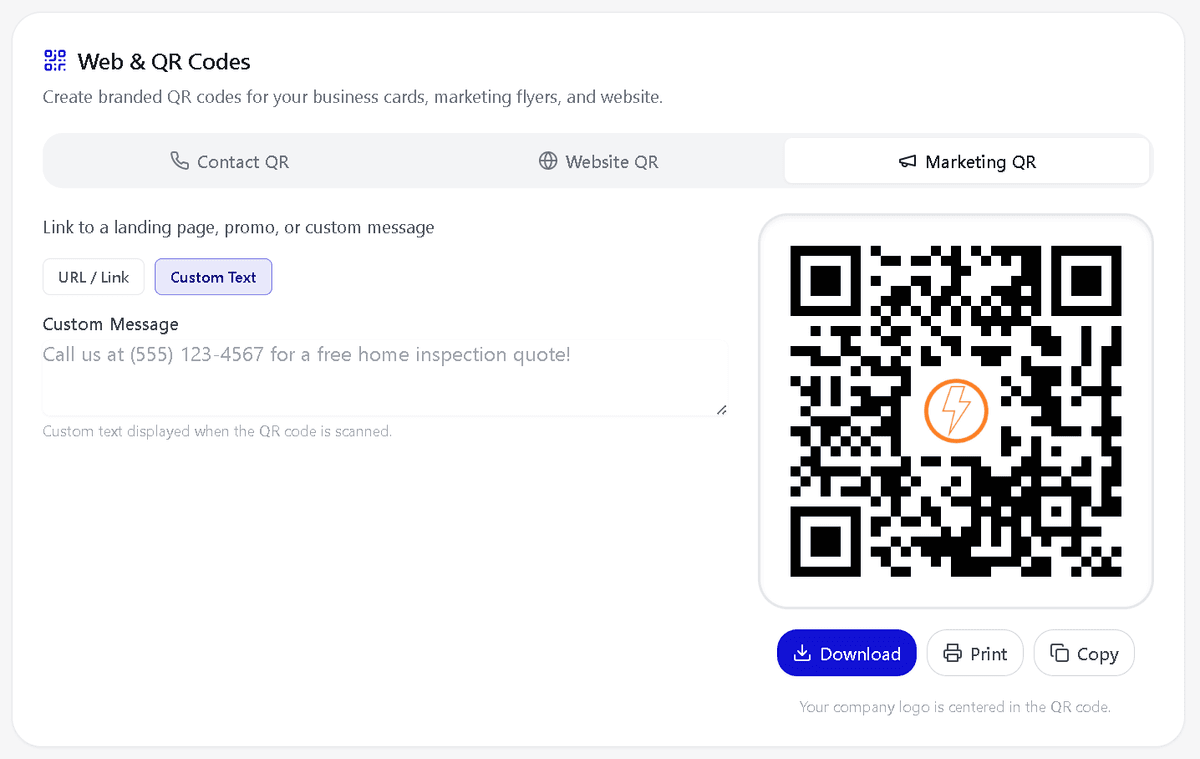
Marketing QR
Launch seasonal promotions, referral campaigns, or special offers with a custom QR code. Link to a booking page, a special landing page, or encode a custom message like "Mention this code for $50 off your inspection." Generate, download, and print — ready for your next mailer in minutes.
Branded QR Code Generator included on all paid plans.
Plus Much More
Every tool you need to manage clients, grow your business, and deliver exceptional service
Client & Property Management
Full CRM for clients, properties, and inspection history. Track every detail in one place.
Photo Capture & AI Annotation
Capture photos on-site, annotate with arrows, circles, and text. AI identifies defects automatically.
Custom Branding
Add your logo, colors, and company info to every report. Professional branded reports build trust.
Multi-Inspector Teams
Manage up to 10 inspectors. Assign jobs, track progress, and collaborate on reports in real-time.
Up to 200 GB Storage
Store thousands of inspection photos and documents. Scalable storage that grows with your business.
Offline Mode & Auto-Sync
Work without internet. All data syncs automatically when you reconnect. Never lose an inspection.
Stripe Payment Processing
Accept payments directly through the platform. Get paid faster with integrated Stripe processing.
Interactive Help Center
Built-in guided tours, tooltips, and documentation. Get help without leaving the app.
Your Data, Your Control
We never collect, share, or sell your data. You own 100% of your inspection data. Bank-level encryption and GDPR compliance keep everything private.
Google Calendar and Google Drive
Both integrations have passed Google's OAuth verification review and are available on every InspectForge account. Connect them once in Settings.
Google Calendar Sync
Two-way sync for inspection appointments. InspectForge creates, updates and removes the events it manages, and reads your existing events so the booking widget never offers a slot when you are already busy.
Google Drive Backup
Finished reports, signed agreements, invoices and inspection photos are backed up to an InspectForge Reports folder in your Drive, organised by date and address.
Google-verified OAuth 2.0. Both are optional and stay switched off until you connect them. Drive access is limited to the files InspectForge creates, so it cannot see anything else in your Drive. See our privacy policy for how this data is handled.
On the Roadmap
We ship updates every week. Here's what's coming next based on inspector feedback.
iCal Calendar Feed
Subscribe to your InspectForge schedule in Apple Calendar, Outlook, or any calendar app with a single URL.
Widget Payment Collection
Collect deposits or full payment through the booking widget via Stripe — clients pay when they book.
Outlook / Microsoft 365 Sync
Same two-way calendar sync for Microsoft 365 and Outlook users. Your full schedule, one view.
Tell Us What to Build Next
Real inspectors shape what we build next. Tell us what feature would save you the most time — every request goes straight to our product team.
See How We Compare
InspectForge delivers more features at a lower price than legacy inspection software
Feature Questions
Common questions about InspectForge's AI-powered features
Get the Full Feature Breakdown
Download our AI Advantage Guide — a detailed PDF with every feature, pricing comparison, and QR codes to get started instantly.
Download AI Advantage Guide (PDF)Ready to Transform Your Inspection Business?
Start saving 2-3 hours per inspection with automatic organization. No photo transfers, no retyping, no manual formatting. Start your free trial today.