Best Facility Inspection Software in 2026
Best Facility Inspection Software in 2026: Complete Comparison for Facility Managers
Facility inspection software has moved far beyond clipboard checklists and spreadsheet trackers. The best platforms in 2026 offer AI-powered condition assessment, digital twin technology for every building and asset, recurring inspection automation, and compliance dashboards — all accessible from a mobile device in the field. This guide compares the top facility inspection platforms on the features, pricing, and capabilities that matter most to facility managers responsible for maintaining commercial buildings, campuses, and multi-site portfolios.
Why Facility Inspection Software Matters in 2026
If your facility inspection process still relies on paper forms, email chains, or disconnected spreadsheets, you are spending more time managing paperwork than managing your buildings.
The business case for digital facility inspections:
- Compliance documentation. OSHA, fire codes, ADA requirements, and local building codes all require documented inspections. Digital records are timestamped, signed, and instantly retrievable during audits — paper records are not.
- Preventive maintenance. Digital inspections with photo evidence catch small problems (a leaking pipe fitting, a worn HVAC belt, a cracked fire door seal) before they become expensive emergency repairs. The National Institute of Building Sciences estimates that every $1 spent on preventive maintenance saves $4–$5 in reactive repair costs.
- Reduced liability. Documented inspection programs demonstrate due diligence. When a slip-and-fall claim or building code violation occurs, timestamped inspection records with photos are your strongest defense.
- Multi-site visibility. Facility managers overseeing multiple buildings need a single dashboard showing inspection status, overdue items, and critical findings across every location — not separate filing cabinets per building.
- Faster issue resolution. When a technician photographs a failing rooftop unit during an inspection, the maintenance team sees the photo and defect description immediately — not days later when a paper form reaches the right desk.
Quick Comparison: Top Facility Inspection Platforms
| Software | Best For | Pricing Model | AI Features | Offline Mode | Multi-Industry |
|---|---|---|---|---|---|
| InspectForge | AI-powered inspections, multi-industry | Flat monthly ($39–99) | Full AI suite | Full offline | Home + Commercial + Fleet + Facility |
| FacilityONE | Large campus operations | Enterprise pricing | None | Limited | Facility only |
| Limble CMMS | Maintenance-first teams | Per user ($28–69/mo) | Basic | Limited | Facility + Manufacturing |
| UpKeep | Mobile-first maintenance | Per user ($45–75/mo) | Basic | Yes | Facility + Manufacturing |
| Fiix (Rockwell) | Enterprise asset management | Enterprise pricing | Basic | Limited | Manufacturing + Facility |
| MaintainX | Work order management | Per user ($16–49/mo) | None | Yes | Multi-industry |
What to Look for in Facility Inspection Software
1. Mobile App Quality
Facility inspections happen in mechanical rooms, on rooftops, in parking garages, and across sprawling campuses. The mobile app is the primary interface for anyone doing the actual inspecting.
Must-haves:
- Native iOS and Android apps (not a mobile-responsive website)
- Large, thumb-friendly pass/fail buttons for quick use with gloves or in low light
- Fast photo capture with native camera integration and annotation tools
- Offline mode that works in basements, mechanical rooms, and areas without Wi-Fi
- QR code scanning to identify equipment and spaces without manual lookup
2. Recurring Inspection Scheduling
Unlike one-time home inspections, facility inspections follow recurring schedules — daily safety walks, weekly equipment checks, monthly fire system inspections, quarterly HVAC reviews, annual code compliance audits.
Must-haves:
- Configurable recurring schedules — daily, weekly, monthly, quarterly, annual, or custom intervals
- Automatic assignment to specific technicians or inspection teams
- Push notifications when inspections are due or overdue
- Calendar view showing upcoming inspections across all facilities
- Compliance tracking that shows what percentage of scheduled inspections have been completed
3. Multi-Site Management
Most facility managers oversee more than one building. Your software needs to handle portfolios, not just individual locations.
Must-haves:
- Portfolio dashboard showing all buildings with inspection status at a glance
- Site-specific templates (a hospital inspection differs from an office building)
- Cross-site reporting to compare conditions, completion rates, and defect trends across locations
- Role-based access so on-site teams see their building while regional managers see everything
4. AI and Automation
AI is the fastest-growing differentiator in facility inspection software:
- AI photo analysis — photograph HVAC equipment, roofing, plumbing, or structural elements for automated condition assessment and damage detection
- AI-generated inspection comments — professional descriptions of findings without manual typing in the field
- Predictive maintenance flags — pattern recognition across inspection history to predict equipment failures before they happen
- Automated severity ratings — AI classifies findings as routine, attention needed, or critical
5. Integration with Maintenance Systems
Facility inspections should trigger maintenance workflows, not create disconnected reports:
- Work order generation from inspection findings — a failed finding automatically creates a maintenance work order
- CMMS integration — sync inspection data with your computerized maintenance management system
- Parts and inventory linking — inspection findings reference the parts needed for repair
- Contractor notification — automatically alert outside contractors when specialized repairs are identified
The Top Facility Inspection Platforms in 2026
1. InspectForge — Best for AI-Powered Facility Inspections
InspectForge is a multi-industry inspection platform that supports home, commercial, fleet, and facility inspections in a single subscription. Its facility capabilities include digital twin technology, AI condition assessment, QR scan-to-inspect workflows, and recurring inspection automation.
Key facility features:
- MI6 AI condition assessment — photograph HVAC units, roofing membranes, electrical panels, plumbing fixtures, and structural elements for automated damage detection and severity ratings
- Digital twin technology — every building, floor, system, and piece of equipment gets a persistent digital identity with full inspection history and maintenance records
- QR code scan-to-inspect — scan a tag on any piece of equipment or room to instantly load the correct inspection template with asset details pre-filled
- Recurring inspection schedules — daily, weekly, monthly, quarterly, or custom intervals with automatic assignment and push notifications
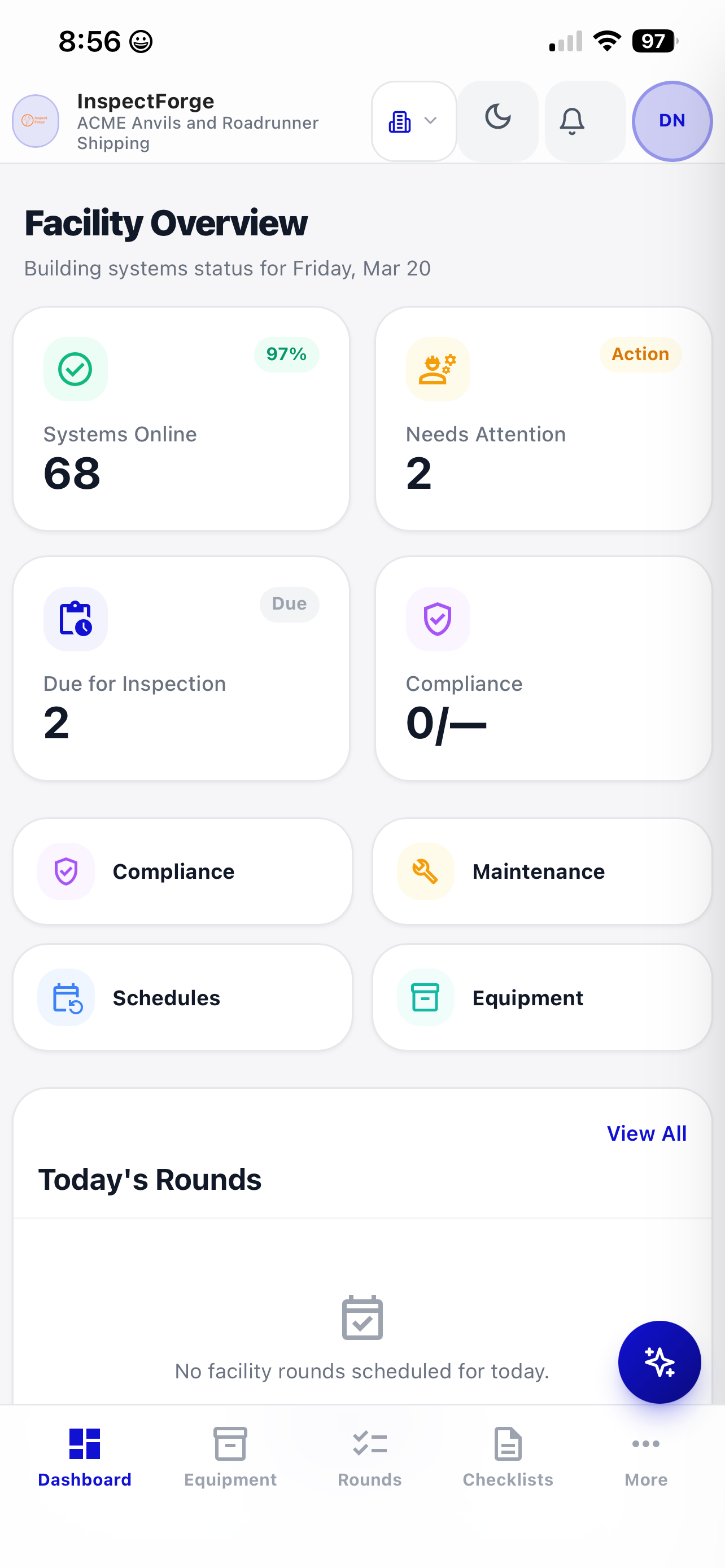
- Multi-site dashboard — portfolio-wide compliance scores, overdue alerts, and cross-site condition comparisons
- Custom inspection templates — build templates for fire safety, HVAC, plumbing, electrical, ADA compliance, roof inspections, or any other facility need
- Full offline mode with automatic sync when connectivity returns
- Native iOS and Android apps
- Photo annotations with arrows, circles, and text labels
Pricing: $39/month (Starter), $69/month (Pro), $99/month (Business with up to 10 inspectors). No per-building or per-asset fees.
Best for: Facility operations that want AI-powered inspections, digital twin asset tracking, and flat pricing that does not scale with portfolio size. Especially valuable for organizations that also perform fleet, property, or construction inspections.
Try it free: Start a 14-day trial — no credit card required. Build your first facility inspection template in minutes.
2. Limble CMMS — Best for Maintenance-First Teams
Limble is a cloud-based CMMS platform that includes inspection capabilities as part of a broader maintenance management suite covering work orders, preventive maintenance scheduling, and parts inventory.
Key features:
- Preventive maintenance scheduling with inspection checklists
- Work order management with priority tracking
- Parts inventory and procurement
- Asset management with maintenance history
- Basic condition monitoring
- Reporting and analytics dashboards
Pricing: Per-user pricing starting at $28/month (Basic) up to $69/month (Premium+). Additional costs for advanced features and integrations.
Best for: Facility teams that prioritize maintenance management and want inspections integrated into their work order workflow.
Limitations: Inspections are part of the CMMS, not a dedicated inspection tool — limited photo annotation, no AI condition assessment, basic offline capability. Per-user pricing becomes expensive for larger teams.
3. UpKeep — Best for Mobile-First Maintenance
UpKeep is a mobile-first maintenance management platform that combines asset management, work orders, and inspection capabilities in a single app designed for technicians in the field.
Key features:
- Mobile-first asset management
- Work order creation and tracking
- Inspection checklists with pass/fail items
- Barcode and QR code asset identification
- Parts and inventory management
- IoT sensor integration for condition monitoring
- Offline mode for field use
Pricing: Per-user pricing starting at $45/month (Starter) up to $75/month (Professional). Enterprise pricing available.
Best for: Mobile-first facility teams that want technicians to manage inspections and work orders from the same app.
Limitations: Inspection features are secondary to maintenance management. No AI photo analysis or condition assessment. Per-user pricing scales up quickly for larger teams. Limited custom inspection template flexibility.
4. FacilityONE — Best for Large Campus Operations
FacilityONE is an enterprise facility management platform designed for large campus operations — universities, hospital systems, corporate campuses, and government facilities.
Key features:
- Space management and floor plan integration
- Capital planning and lifecycle tracking
- Inspection workflows tied to floor plans
- Work order and service request management
- Energy management and sustainability tracking
- Enterprise reporting and analytics
Pricing: Enterprise pricing (contact sales). Typically requires annual contracts.
Best for: Large campus operations (universities, hospital systems) that need space management, capital planning, and inspection workflows in an integrated enterprise platform.
Limitations: Overkill for small-to-mid-size facility operations. Long implementation timelines. Inspection features are basic compared to dedicated tools. Very expensive.
5. MaintainX — Best for Work Order-Centric Teams
MaintainX is a work order and procedure management platform that includes inspection capabilities through its digital procedure system.
Key features:
- Digital procedures and checklists
- Work order management
- Team messaging and communication
- Asset management
- Meter-based maintenance scheduling
- Multi-site support
Pricing: Per-user pricing starting at $16/month (Essential) up to $49/month (Premium). Enterprise pricing available.
Best for: Teams that want a unified platform for work orders, procedures, and basic inspection checklists at an affordable per-user price.
Limitations: Inspection capabilities are built into the procedure system — not a dedicated inspection tool. No AI features. Limited photo annotation. Basic reporting compared to dedicated inspection platforms.
Pricing Comparison: What Facility Inspection Software Really Costs
| Team Size | InspectForge (Business) | Limble CMMS | UpKeep | MaintainX |
|---|---|---|---|---|
| 3 inspectors | $99/mo | $84–207/mo | $135–225/mo | $48–147/mo |
| 5 inspectors | $99/mo | $140–345/mo | $225–375/mo | $80–245/mo |
| 10 inspectors | $99/mo | $280–690/mo | $450–750/mo | $160–490/mo |
| 20 inspectors | Contact sales | $560–1,380/mo | $900–1,500/mo | $320–980/mo |
Key takeaway: Per-user pricing makes sense for very small teams (1–2 people). For teams of 3+ inspectors, flat monthly pricing delivers significant savings. At 10 inspectors, InspectForge costs 65–85% less than per-user alternatives while offering superior AI inspection capabilities.
AI in Facility Inspections: The 2026 Differentiator
AI is the biggest capability gap between facility inspection platforms in 2026. Here is what AI-powered facility inspections look like in practice:
AI Condition Assessment
A technician photographs a rooftop HVAC unit during a quarterly inspection. The AI analyzes the image and reports:
- Visible corrosion on condenser coils — severity: moderate
- Fan belt appears worn with visible cracking — recommend replacement within 30 days
- Refrigerant line insulation deteriorating — minor, schedule for next maintenance window
Without AI, the technician writes "unit looks okay" or "some wear visible" — vague descriptions that do not help the maintenance team prioritize work.
AI-Generated Comments
Instead of typing detailed descriptions on a phone in a hot mechanical room, the technician selects "HVAC" and "wear detected." The AI generates: "Rooftop HVAC Unit #4 shows moderate corrosion on condenser coils and visible fan belt wear approaching end of service life. Recommend belt replacement within 30 days and condenser coil cleaning during next scheduled maintenance."
This professional documentation flows into the asset's digital twin history, the maintenance work order, and the facility manager's dashboard — all from a quick photo and two-tap selection.
Predictive Maintenance
Over time, AI identifies patterns across inspection history:
- "HVAC Unit #4 has been flagged for condenser issues in 3 of the last 4 quarterly inspections — this may indicate environmental factors (salt air, chemical exposure) requiring a different maintenance approach"
- "Building B electrical panels show progressive thermal degradation across the last three inspections — recommend thermographic survey before next quarter"
How to Choose the Right Platform
Small Portfolio (1–3 buildings)
Priority: Low cost, easy setup, recurring schedules. Recommendation: At this scale, any platform works. InspectForge Starter ($39/month) or MaintainX Essential ($16/user/month for 1–2 users) are both affordable. Choose InspectForge if you want AI features and flat pricing; choose MaintainX if work orders are your primary need.
Mid-Size Portfolio (3–10 buildings)
Priority: Multi-site visibility, team coordination, compliance tracking. Recommendation: Per-user pricing starts to hurt at this scale. A 5-person team on UpKeep costs $225–$375/month; on InspectForge it is $99/month. AI condition assessment becomes valuable when you are managing more assets and need consistent, detailed documentation.
Large Portfolio (10–50+ buildings)
Priority: Enterprise features, cross-site analytics, integration with CMMS. Recommendation: If your primary need is inspections and condition documentation, InspectForge's Business plan ($99/month for up to 10 inspectors) offers the best value. If you need a full CMMS with inspections as one module, Limble or UpKeep may justify their higher cost.
Campus Operations (Universities, Hospitals, Government)
Priority: Space management, capital planning, enterprise contracts. Recommendation: FacilityONE or similar enterprise platforms are designed for this use case. However, if your primary need is inspection documentation (not full campus management), InspectForge delivers better inspection features at a fraction of the cost.
Frequently Asked Questions
What types of facility inspections can I automate with software?
Digital facility inspection software handles virtually any recurring inspection: daily safety walks, weekly equipment checks, monthly fire system inspections, quarterly HVAC reviews, annual code compliance audits, roof inspections, ADA compliance checks, elevator inspections, and more. Most platforms include pre-built templates for common inspection types and let you create custom templates for specialized needs.
How does digital facility inspection software help with compliance?
Compliance requires documentation — timestamped records showing that inspections were performed on schedule, by qualified personnel, with proper sign-off. Digital inspection software automates this by scheduling inspections, tracking completion rates, storing timestamped records with photos and digital signatures, and generating audit-ready compliance reports on demand. This is significantly more reliable than paper-based documentation.
Can facility inspection software integrate with my existing CMMS?
This varies by platform. Some tools like Limble and UpKeep are themselves CMMS platforms with built-in inspection capabilities. Standalone inspection platforms like InspectForge can generate work orders and export data that feeds into external maintenance systems. The key question is whether you need a full CMMS or primarily need better inspection documentation.
Is per-user pricing or flat pricing better for facility teams?
Flat pricing is better for any team with more than 2–3 inspectors. Per-user pricing means every additional technician, building engineer, or contract inspector adds to your monthly cost. Flat pricing lets you add team members without budget impact — important for organizations that use seasonal staff or rotating inspection teams.
The Bottom Line
The facility inspection software market in 2026 is splitting between maintenance-management platforms that include basic inspection checklists and dedicated inspection tools that add AI, digital twins, and predictive capabilities on top of compliance workflows.
For facility managers who want the most capable inspection tool at the best price, InspectForge offers AI condition assessment, digital twin technology, recurring automation, and flat pricing that does not punish growth. For those who need a full CMMS suite (work orders, parts inventory, IoT integration), Limble or UpKeep covers more ground at a higher price.
Whatever platform you choose, the move from paper and spreadsheets to purpose-built inspection software is no longer optional. The facility teams that win in 2026 are the ones that catch equipment failures before they cause downtime, document everything for compliance, and give their technicians tools that are fast enough to use properly every day.
Explore InspectForge's facility inspection capabilities at inspectforge.com/commercial-inspection-software.
Related Reading
- InspectForge Commercial Inspection Software — Multi-site management, compliance templates, and AI-powered reports
- Building Maintenance Inspection Checklist: Complete Digital Guide — Every item on a comprehensive building maintenance checklist
- How Digital Facility Inspections Reduce Maintenance Costs — ROI data and cost savings analysis
- Best Home Inspection Software 2026 — For multi-industry operations that also perform property inspections
Comparison data in this article is based on publicly available information as of March 2026. Features and pricing may change. We recommend evaluating any platform with a free trial before making purchasing decisions.