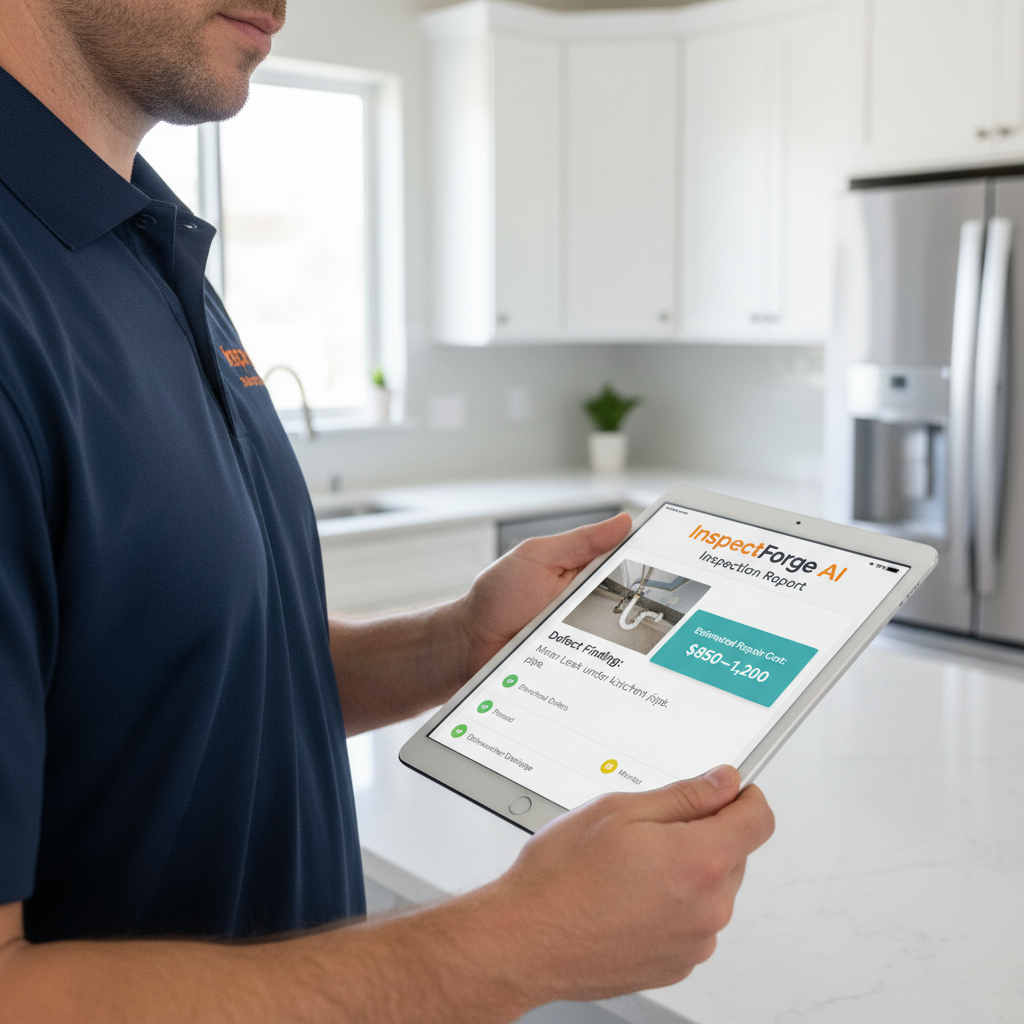
AI Repair Cost Estimates: How InspectForge Gives Inspectors Regional Pricing on Every Defect
AI Repair Cost Estimates: How InspectForge Gives Inspectors Regional Pricing on Every Defect
You flagged the cracked heat exchanger. You noted the failing TPR valve. You documented the deteriorating deck ledger board with three photos and a clear narrative. Your report is thorough, professional, and technically accurate.
Then your client calls you an hour later and asks the question every inspector dreads: "So... how much is all this going to cost to fix?"
Most inspectors deflect. "I'm not a contractor — I can't quote repairs." Technically true. But it leaves clients frustrated, it weakens the perceived value of your inspection, and it sends them straight to Google where they'll find wildly inconsistent numbers from sources that don't know their local market.
What if your report already answered that question — automatically, with regional pricing baked in — before your client even had a chance to ask?
That's exactly what InspectForge's AI repair cost estimates do. And unlike competitors who charge extra for AI features (or don't offer them at all), this capability ships in every InspectForge plan, starting at $39/mo flat.
The Problem: Repair Cost Context Is the Missing Half of Every Inspection Report
Inspectors are trained to find defects. The entire credentialing process — whether you're InterNACHI-certified, ASHI-certified, or working toward a commercial or fleet inspection credential — is built around the skill of identifying problems.
But here's what no one tells you in certification courses: your clients don't just want a list of defects. They want to understand the weight of those defects. And in real estate transactions, construction handoffs, or fleet acquisition decisions, "weight" is almost always measured in dollars.
The Client Perspective
When a buyer receives a 47-item inspection report with no cost context, one of two things happens:
- They panic — treating a $200 caulking job the same as a $6,000 furnace replacement
- They go numb — skimming past critical findings because everything looks equally alarming on paper
Either way, they're not making well-informed decisions. And that reflects poorly on the inspector who handed them that report.
The Inspector's Dilemma
Some inspectors try to fill this gap manually. They maintain spreadsheets of local contractor rates. They call in favors with HVAC techs and roofers for ballpark estimates. A few bold ones include rough cost ranges in their narratives — "typical repair costs range from $X to $Y."
All of that takes time. Time you don't have when you're running three inspections a day. And the moment your figures are even slightly off, you're fielding complaints or — worse — liability questions.
The solution isn't for inspectors to become cost estimators. The solution is software that handles it for you, accurately, regionally, and instantly.
The Solution: InspectForge AI Repair Cost Estimates
InspectForge's AI repair cost estimates are embedded directly into the defect documentation workflow. There's no separate module to open, no third-party integration to configure, and no add-on fee to unlock. When you log a defect — whether by typing a finding manually, using voice-to-text entry, or letting AI photo analysis detect it automatically — the platform generates a regional repair cost range alongside your finding.
Here's how it works in practice.
Step 1: Log or Detect the Defect
You're inspecting a 2008 residential HVAC system. You snap a photo of the heat exchanger. InspectForge's AI photo analysis flags a visible crack. The finding is auto-populated into your report with a defect category, severity rating, and recommended action.
No manual typing required. But you can always edit, expand, or override — the AI supports your judgment, it doesn't replace it.
Step 2: AI Pulls Regional Cost Data
In the background, InspectForge cross-references the identified defect type against a continuously updated database of regional labor and materials pricing. The system factors in:
- Defect category (HVAC, roofing, electrical, plumbing, structural, etc.)
- Severity and scope (minor repair vs. full replacement)
- Your inspection location (ZIP code-level regional pricing, not national averages)
- Current market conditions (pricing data is regularly refreshed, not static)
The result: a repair cost range — a low and high estimate — that reflects what a licensed contractor in your market would realistically charge for that specific repair.
Step 3: Cost Context Appears in the Client Report
When your client opens their completed report, each defect includes a clearly labeled "Estimated Repair Cost" section. The language is calibrated carefully — these are presented as estimates for budgeting purposes, not contractor bids. The disclaimer is built in, protecting both you and your client.
The effect on client comprehension is significant. Instead of staring at a wall of defects with no frame of reference, clients can immediately identify which findings are minor maintenance items and which ones are deal-breakers that need contractor quotes before closing.
Step 4: Summary Totals for Portfolio View
For commercial inspections, fleet assessments, or multi-unit residential work, InspectForge aggregates the estimated costs across all findings into a summary view. Property managers and fleet operators can see total estimated deferred maintenance at a glance — exactly the kind of data that drives capital planning decisions.
This feature alone has made InspectForge a compelling tool beyond residential home inspection. See how fleet operators use InspectForge for vehicle condition reports with cost context built in.
Why Regional Pricing Actually Matters (and Why National Averages Fail Your Clients)
This is worth pausing on, because not all cost-estimate features are created equal.
A national average for replacing a water heater might be $1,200. But if your client is in San Francisco, that number is closer to $1,800–$2,400 due to labor costs and permitting. If they're in rural Tennessee, it might be $750–$950. Giving either client the national average actively misleads them.
InspectForge uses ZIP code-level regional calibration because that's what actually serves your clients. When they call a local plumber and get a quote that lands inside the range your report showed them, you've just demonstrated a level of professionalism that most inspectors can't match.
That's the kind of thing that generates referrals.
AI Repair Cost Estimates Across Every Industry InspectForge Serves
One of InspectForge's core design principles is that inspection workflows aren't one-size-fits-all. The AI repair cost engine reflects that.
Residential Home Inspection
The most common use case. Defect categories include roofing, HVAC, electrical, plumbing, foundation, windows, doors, insulation, and appliances. Cost estimates help buyers prioritize negotiation points and help sellers price pre-listing repairs accurately.
Learn how to build a faster residential inspection workflow →
Commercial Property Inspection
Commercial clients — property managers, investors, lenders — often need to present inspection findings to stakeholders who aren't on-site. A report with cost context built in becomes a decision-support document, not just a liability checklist. InspectForge's cost estimate summaries are formatted to be boardroom-readable.
Fleet and Vehicle Inspection
Fleet managers dealing with deferred maintenance need to budget. When an inspector logs brake wear, fluid leaks, or tire degradation across a 40-vehicle fleet, cost totals matter as much as individual findings. InspectForge aggregates repair estimates per vehicle and across the fleet — something purpose-built fleet tools like Whip Around don't offer with AI-powered cost context.
Construction and Punch-List Inspection
Construction inspectors and owners' reps use cost estimates to hold subcontractors accountable. When a finding is logged and an estimated remediation cost is attached, project managers have a starting point for back-charge conversations.
How InspectForge Compares: AI Repair Cost Estimates Across Platforms
| Feature | InspectForge | Spectora | HomeGauge | Whip Around |
|---|---|---|---|---|
| AI repair cost estimates | ✅ Included in all plans | ❌ Not available | ❌ Not available | ❌ Not available |
| Regional pricing calibration | ✅ ZIP-code level | — | — | — |
| Estimate appears in client report | ✅ Auto-formatted | — | — | — |
| Multi-industry support | ✅ Home, fleet, commercial, construction | ❌ Home inspection only | ❌ Home inspection only | ❌ Fleet only |
| AI photo defect detection | ✅ Included | ❌ Not available | ❌ Not available | ❌ Not available |
| Pricing model | ✅ Flat-rate, no per-inspection fees | ⚠️ $109/mo + $3–4/inspection | ⚠️ Dual licensing fees | ⚠️ Per-vehicle pricing |
| Starting price | $39/mo | $109/mo + per-inspection | Higher with dual fees | Per-vehicle |
The comparison isn't close — and it's not because InspectForge is cutting corners elsewhere. Spectora is a genuinely good product for residential home inspectors. But at $109/mo plus $3–4 per inspection, a busy inspector running 15 inspections a month is paying $154–$169/mo before any AI features even exist. InspectForge Pro at $69/mo flat includes AI repair cost estimates, AI photo analysis, AI video walkthrough extraction, appliance analytics, voice-to-text, and the full MI6 suite.
That's a saving of $1,200+ per year — with more AI capability included.
What Inspectors Are Actually Saying About Cost Estimates in Reports
Inspectors who've added cost context to their reports consistently report the same client reaction: relief. Not because the numbers are always small — sometimes they're not — but because clients finally have a framework for thinking about what they're dealing with.
The conversation shifts from "This report has 43 items, what do I do?" to "Okay, $14,000 in deferred maintenance — here's what's urgent and here's what can wait."
That's a more useful product. And it positions the inspector as a trusted advisor, not just a liability documenter.
For inspectors who've been manually adding cost ranges to their narratives, the reaction is different — mostly relief that they don't have to do it by hand anymore. InspectForge's 80–90% AI recommendation acceptance rate suggests that when the AI generates a finding or an estimate, inspectors agree with it the vast majority of the time. That's not magic — it's a well-trained model applied to real-world inspection data.
The Full MI6 AI Suite: Cost Estimates Are Just One Piece
AI repair cost estimates are one feature within InspectForge's MI6 AI suite. Every plan includes the full suite — no picking and choosing, no add-on tiers.
Here's what ships with every InspectForge account:
- AI Photo Analysis — Snap a photo, AI flags defects automatically
- AI Appliance Analytics — Photo → make, model, estimated age, recall status
- AI Video Walkthrough Extraction — Record a walkthrough video, AI extracts and organizes findings
- One-Click Template Import — Import your Spectora or HomeGauge templates in minutes
- AI Repair Cost Estimates — Regional pricing on every defect, auto-populated in reports
- Voice-to-Text Findings Entry — Speak your findings, AI transcribes and formats them
- AI Report Summary — Client-ready executive summary generated automatically
All of it. Starter plan. $39/mo flat. No per-inspection fees. Ever.
Explore the full MI6 AI suite →
Getting Started: What to Expect in Your First 14 Days
InspectForge offers a 14-day free trial with no credit card required. Here's what most inspectors do in their first two weeks:
Days 1–2: Import your existing templates from Spectora, HomeGauge, or a custom format using the one-click import tool. Your workflow shouldn't change — just the platform running it.
Days 3–5: Run your first inspection on InspectForge. Use AI photo analysis on a few defects and watch the findings auto-populate. Enable voice-to-text if you prefer speaking findings on-site.
Days 6–10: Send a completed report to a client or colleague and get their reaction to the cost estimates and AI report summary. Most inspectors get positive feedback immediately.
Days 11–14: Decide which plan fits your volume. Starter ($39/mo) for solo inspectors. Pro ($69/mo) for growing operations. Business ($99/mo) for teams and multi-inspector firms.
All flat-rate. No per-inspection math. No surprises.
Start your 14-day free trial — no credit card required →
The Bottom Line
AI repair cost estimates solve a real problem that every inspector faces: clients need cost context to make good decisions, and inspectors shouldn't have to become cost estimators to provide it.
InspectForge built the answer directly into the report workflow — regional pricing, auto-populated, client-formatted, and included in every plan from $39/mo flat. No add-ons. No per-inspection fees. No reason to keep sending reports that leave clients guessing.
Your inspection already takes 2–3 hours on-site. Your report shouldn't take another 2–3 hours to write. And your clients shouldn't finish reading it with more questions than they started with.
InspectForge handles all three problems at once.