AI Photo Analysis for Inspectors: How InspectForge Turns a Snapshot Into a Finished Finding
AI Photo Analysis for Inspectors: How InspectForge Turns a Snapshot Into a Finished Finding
You've just wrapped a three-hour roof-to-foundation inspection. The physical work is done — but your day isn't. Now comes the part most inspectors quietly dread: sitting down at a laptop, paging through 80 photos, and translating each one into professional report language that holds up to scrutiny, reads clearly to a client, and protects you legally.
For many working inspectors — whether you're running a solo home inspection business, managing a commercial property portfolio, or overseeing a fleet of service vehicles — the report isn't a formality. It's the deliverable. It's what your client pays for. And writing it well, consistently, takes time.
That time cost is exactly what InspectForge's AI photo analysis was built to eliminate.
This post is a deep dive into how AI-powered defect detection works inside InspectForge's MI6 AI suite, why 80–90% of AI-generated findings are accepted by inspectors as-is, and what it means for your business when every plan — from Starter to Business — includes the full suite at a flat monthly rate.
The Real Time Problem in Inspection Work
Let's be specific about where time actually goes.
The physical inspection itself takes 1–3+ hours depending on property size, asset type, and inspection scope. That part is irreducible — you need eyes on the structure, the systems, the equipment. No software changes that.
What software can change is everything that happens after you leave the site:
- Sorting and labeling photos from a 60–150 image shoot
- Writing findings in clear, professional language for each defect documented
- Assigning severity levels and recommended actions
- Compiling findings into a structured report with consistent formatting
- Generating a client-facing summary that doesn't require a contractor's license to understand
- Emailing the report through a branded portal that reflects your business
For many inspectors, post-inspection report writing takes as long as — or longer than — the inspection itself. That's not a productivity failure. That's the nature of thorough documentation. But it is a problem that AI is now well-positioned to solve.
What AI Photo Analysis Actually Does (No Hype)
The phrase "AI photo analysis" gets used loosely. Here's what it means inside InspectForge, concretely:
Step 1: You Snap the Photo
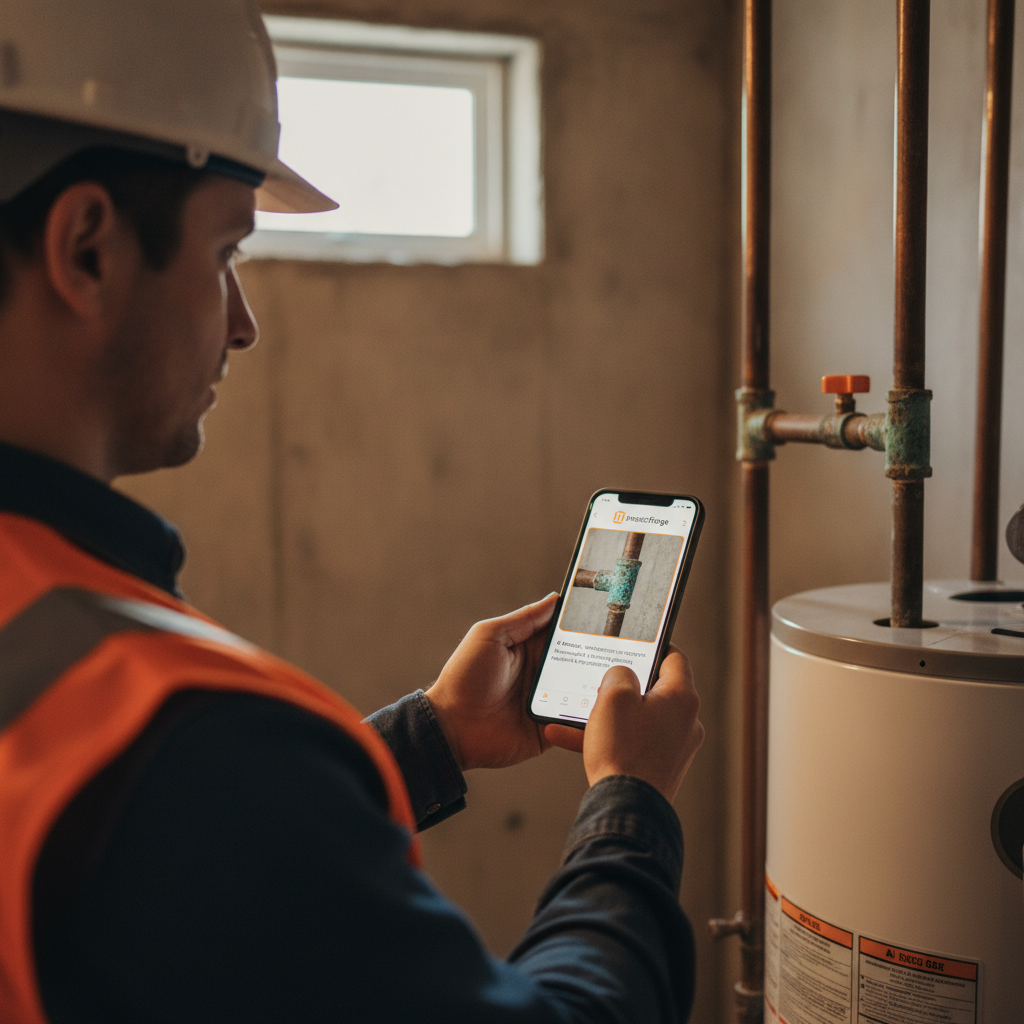
During your inspection, you photograph the defect — a cracked flue collar, a corroded valve, a damaged roofing membrane, a vehicle's worn brake pad visible through the wheel well. The photo goes directly into the InspectForge mobile app.
Step 2: The AI Identifies the Defect
InspectForge's MI6 AI engine analyzes the image. It identifies what it's looking at — the component, the type of defect, the likely severity — and cross-references that against inspection best practices and standard defect taxonomies across industries.
This isn't simple image tagging. The system is trained to distinguish between, say, normal wear on a water heater and an active corrosion issue that warrants immediate attention. It reads context from the image itself.
Step 3: The AI Writes the Finding
Here's where the time savings become tangible. Instead of typing:
"Observed active rust staining and corrosion at the supply line connection to the pressure relief valve on the water heater unit in the mechanical room. Recommend evaluation and repair by a licensed plumber prior to closing."
...you read that sentence — because the AI already wrote it.
The finding is formatted in report-ready language: component identified, defect described accurately, action recommended. It drops directly into the report.
Step 4: You Review and Accept (or Edit)
You're always in control. The AI is a writer's assistant, not a replacement for your professional judgment. Review the finding, adjust any language that doesn't match your style or jurisdiction-specific standards, and accept it. Across InspectForge users, 80–90% of AI-generated findings are accepted as-is — a strong signal that the output is inspection-grade, not generic.
Why 80–90% Acceptance Matters
That stat is worth unpacking, because it tells you something important about how the AI performs in real field conditions.
An acceptance rate that low — say, 20–30% — would tell you the AI is generating findings that inspectors have to heavily rewrite. That's not a time saver; that's extra editing work.
An acceptance rate near 100% might raise a different concern: are inspectors actually reviewing the output, or rubber-stamping it? And is the AI so conservative that it's writing findings that look professional but miss nuance?
The 80–90% range reflects something more useful: AI output that's accurate and well-written enough to use directly in most cases, while leaving room for inspectors to apply their professional judgment when a finding needs to be more specific, more cautious, or phrased differently for a particular client or jurisdiction.
It also means that when you're processing 20, 30, or 40 photo-documented defects in a single inspection, you're not writing 40 findings from scratch. You're reviewing 40 AI drafts — and accepting most of them with a tap.
AI Photo Analysis Across Industries
InspectForge is built for inspectors across multiple industries, and AI photo analysis performs across all of them. The underlying capability — photo in, defect identified, finding written — applies whether you're working in:
Residential and Commercial Property Inspection
- Roof covering damage (missing shingles, membrane tears, ponding water)
- Foundation cracks and structural concerns
- HVAC system deficiencies
- Electrical panel issues (double-taps, missing knockouts, improper wiring)
- Plumbing defects (active leaks, improper slopes, corroded connections)
- Interior conditions (moisture staining, damaged finishes, inoperable fixtures)
Learn how InspectForge handles full property inspection reports
Fleet and Vehicle Inspection
- Body damage and panel condition
- Tire wear and condition
- Fluid leaks and underhood deficiencies
- Lighting and safety equipment
- DOT DVIR compliance documentation
Fleet managers running 20, 50, or 200 vehicles know the documentation burden. Every defect photographed and AI-written as a finding — rather than manually typed by a driver or yard supervisor — means faster, more consistent inspection records across the fleet.
See how InspectForge supports fleet inspection workflows
Construction and Commercial Property
- Structural steel and concrete deficiencies
- Mechanical, electrical, and plumbing rough-in issues
- Site condition documentation
- Equipment and asset condition assessments
The MI6 AI Suite: What Else Is Included
AI photo analysis is one module inside InspectForge's MI6 AI suite. The full suite ships with every plan — no add-on fees, no feature tiers that lock core AI tools behind a higher subscription.
Here's a quick view of what's in the suite:
| Feature | What It Does |
|---|---|
| AI Photo Analysis | Identifies defects from photos, writes the finding automatically |
| AI Appliance Analytics | Photo of any appliance → make, model, age, recalls, estimated remaining lifespan |
| AI Video Walkthrough Extraction | Record a walk-through video → AI extracts every finding automatically |
| AI Repair Cost Estimates | Regional pricing on defects, auto-included in the report |
| Voice-to-Text Findings | Speak the finding on-site, AI formats it into report language |
| AI Report Summary | Auto-generated plain-language executive summary for your client |
| One-Click Template Import | Bring your existing templates from any format in minutes |
All seven features. Every plan. No exceptions.
How Pricing Works: Flat-Rate, Always
One thing that distinguishes InspectForge from many inspection platforms is the pricing model.
InspectForge never charges per inspection or per vehicle fees.
This is a hard commitment, not a promotional footnote. Whether you complete 5 inspections in a month or 55, your plan cost doesn't change. For growing inspection businesses — where volume is the goal — that matters enormously.
| Plan | Monthly Price | Per-Inspection Fee | AI Suite Included |
|---|---|---|---|
| Starter | $39/mo | Never | Full MI6 Suite |
| Pro | $69/mo | Never | Full MI6 Suite |
| Business | $99/mo | Never | Full MI6 Suite |
At $39/month, you have access to AI photo analysis, AI appliance analytics, video walkthrough extraction, repair cost estimates, voice-to-text, AI report summaries, and one-click template import — the same tools available on the Business plan.
The plan tiers differ in other dimensions (team seats, storage, branding options, booking widget access) — but the AI suite isn't rationed by plan level.
See full plan details and what's included at each tier
What Changes in Your Workflow
Let's make this concrete. Here's how a typical post-inspection workflow shifts when AI photo analysis is part of the process.
Before AI Photo Analysis
- Complete the physical inspection (2–3 hours)
- Return to office or laptop
- Review and sort all photos manually
- Open report template
- Write each finding individually — component, defect, severity, recommendation
- Proof and format the full report
- Email or upload to client portal
The documentation phase — steps 2 through 6 — is where hours disappear.
With InspectForge AI Photo Analysis
- Complete the physical inspection (same time — the field work doesn't change)
- Photos are already in the app, already analyzed, findings already drafted
- Review AI-generated findings on your phone or tablet — tap to accept, edit where needed
- AI report summary is auto-generated
- Publish to branded client portal with one click
The report writing that used to happen after the inspection now happens during it — passively, in the background, as you shoot photos on-site.
A Note on Professional Judgment
AI photo analysis is a productivity tool, not a replacement for inspector expertise.
The AI identifies what it sees in the image and applies standard defect language. It doesn't know your local building codes, your client's specific concerns, whether a particular component is grandfathered under older standards, or the broader context of a defect within the building system as a whole.
That context is yours. The 10–20% of findings that inspectors do edit reflect exactly that — professional judgment layered on top of accurate AI output. The AI handles the writing; the inspector handles the meaning.
This is the right division of labor. Inspectors shouldn't spend their expertise on formatting sentences. They should spend it on interpreting what they find.
Getting Started: No Credit Card, No Commitment
InspectForge offers a 14-day free trial with no credit card required. Every feature in the MI6 AI suite — including AI photo analysis — is available from day one of the trial.
That means you can bring your next real inspection into the platform, shoot photos on-site, and see AI-generated findings appear in real time before you've spent a dollar.
If you have existing inspection templates — in any format — the one-click template import gets you up and running without rebuilding from scratch.
Start your 14-day free trial at inspectforge.com — no credit card required.
Or if you want to dig into the AI features before signing up: see how AI photo analysis works at inspectforge.com/features/ai-inspection-assistant
Frequently Asked Questions
Does AI photo analysis work on all property types?
Yes. The MI6 AI engine is trained across residential, commercial, fleet, and construction inspection contexts. Findings language and defect taxonomy adjust based on the inspection type you've configured in your template.
What happens if the AI misidentifies a defect?
You review every finding before the report is published. Nothing goes to the client without your approval. Edit or delete any finding that doesn't accurately reflect what you observed.
Is the AI suite available on mobile?
Yes. InspectForge's mobile app supports AI photo analysis, voice-to-text, and appliance analytics in the field. You don't need to return to a desktop to generate findings.
Can I use my existing report templates?
Yes. One-click template import brings your current templates into InspectForge in minutes, regardless of what format or platform they're currently in.